-
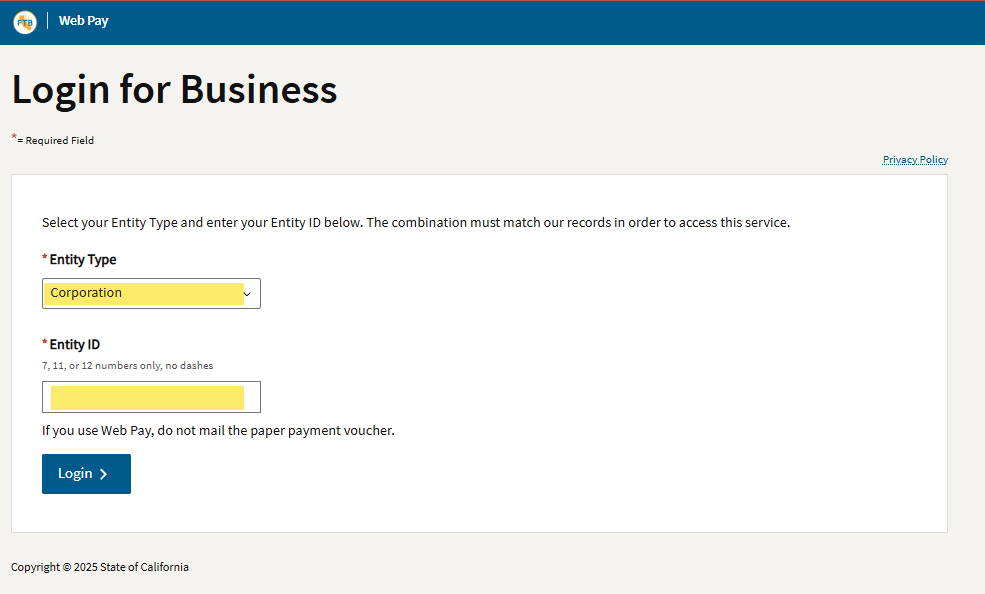
Select USE WEB PAY BUSINESS
-
Select Entity Type, then Corporation
-
Enter your Entity ID
- This is your California Entity ID, not your federal EIN. If you need it, see Find your California Entity ID
- Click Log In
-
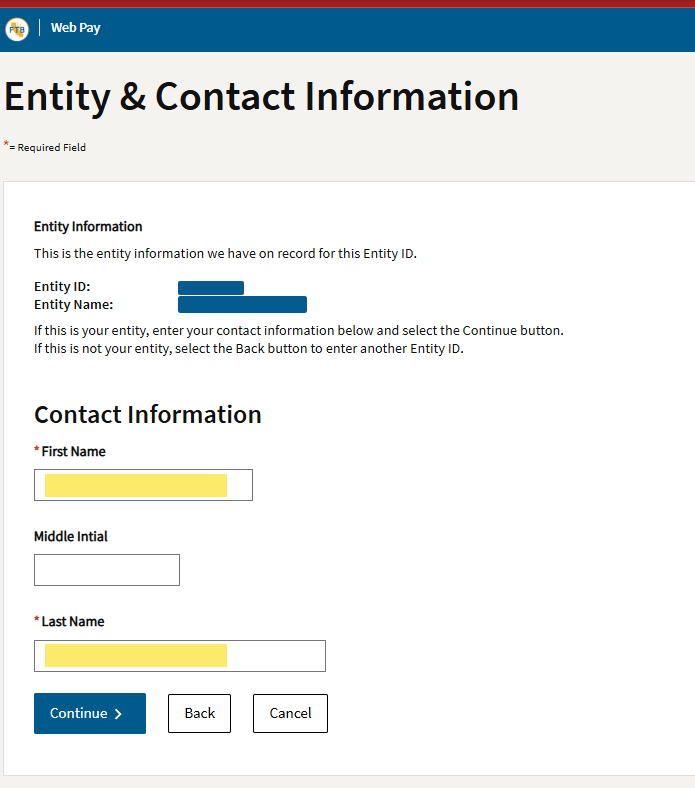
Enter your name
-
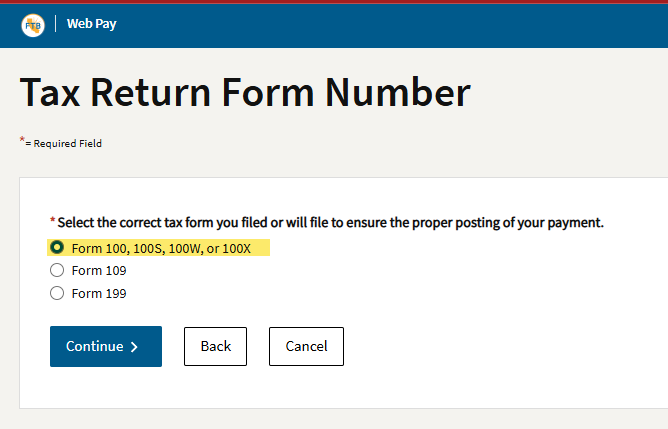
Enter the form number
- Corporations: Form 100, 100S, 100W, or 100X
-
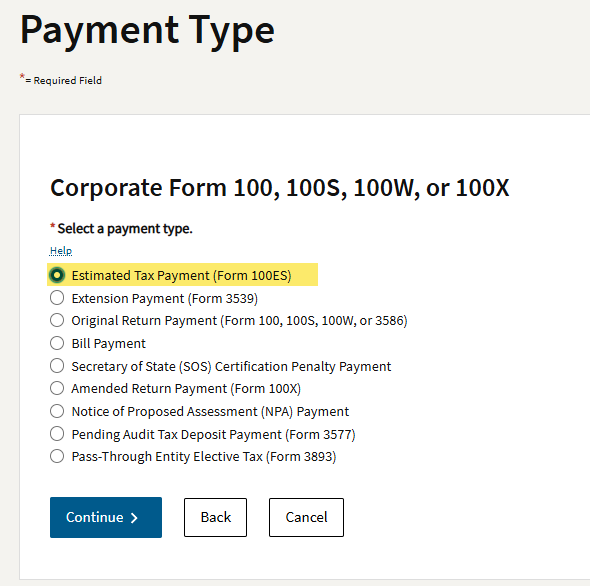
For Payment Type, choose Estimated Tax Payment (Form 100-ES)
-
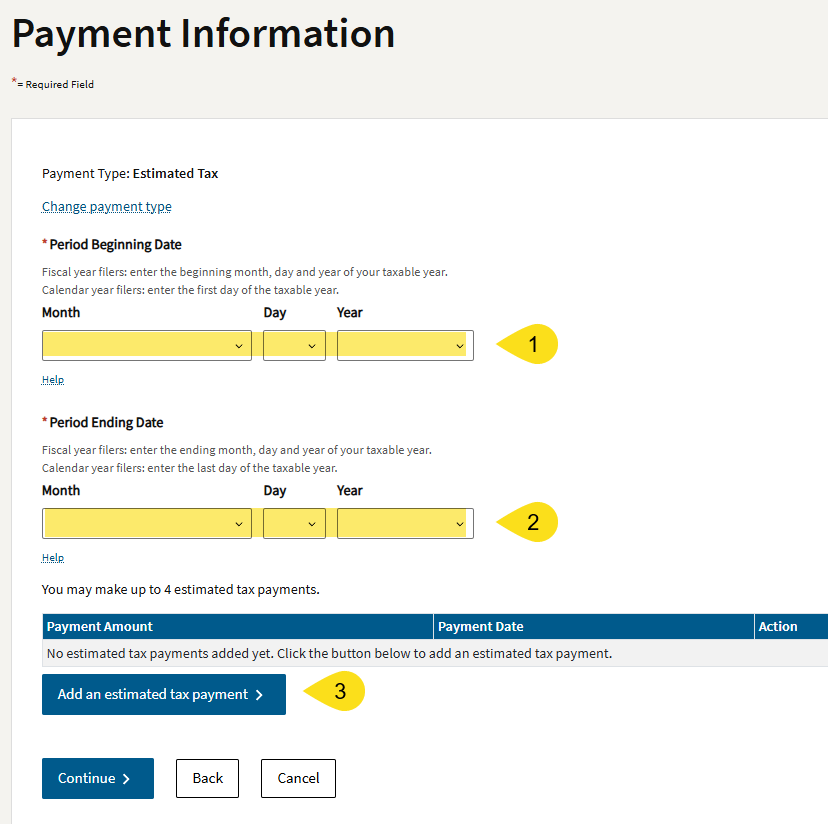
For Period, identify the period the payment covers, usually Jan 1 to Dec 31 of the tax year. For 2026:
- Period Beginning Date: Jan 1, 2026
- Period End Date: Dec 31, 2026
-
Click Add an estimated tax payment
-
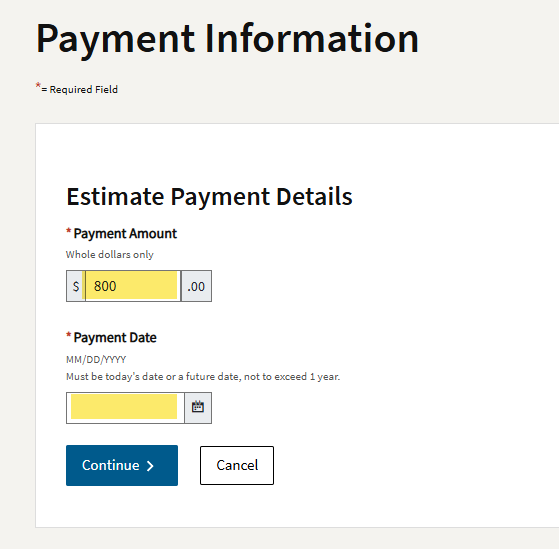
Enter the payment amount
- The minimum first-quarter payment is $800, but if we told you to pay more, enter that amount
-
Enter the payment date
-
Click Continue to go back to the previous screen, then Continue again
-
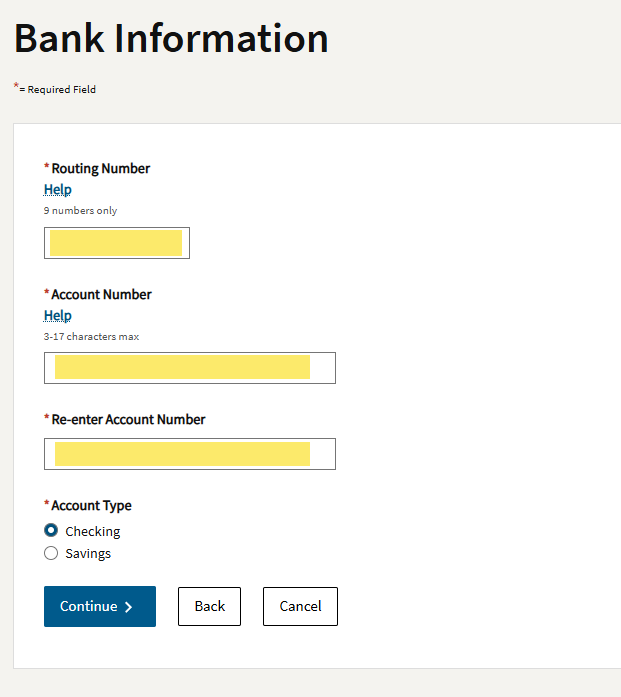
Enter your bank information
-
Click Submit
-
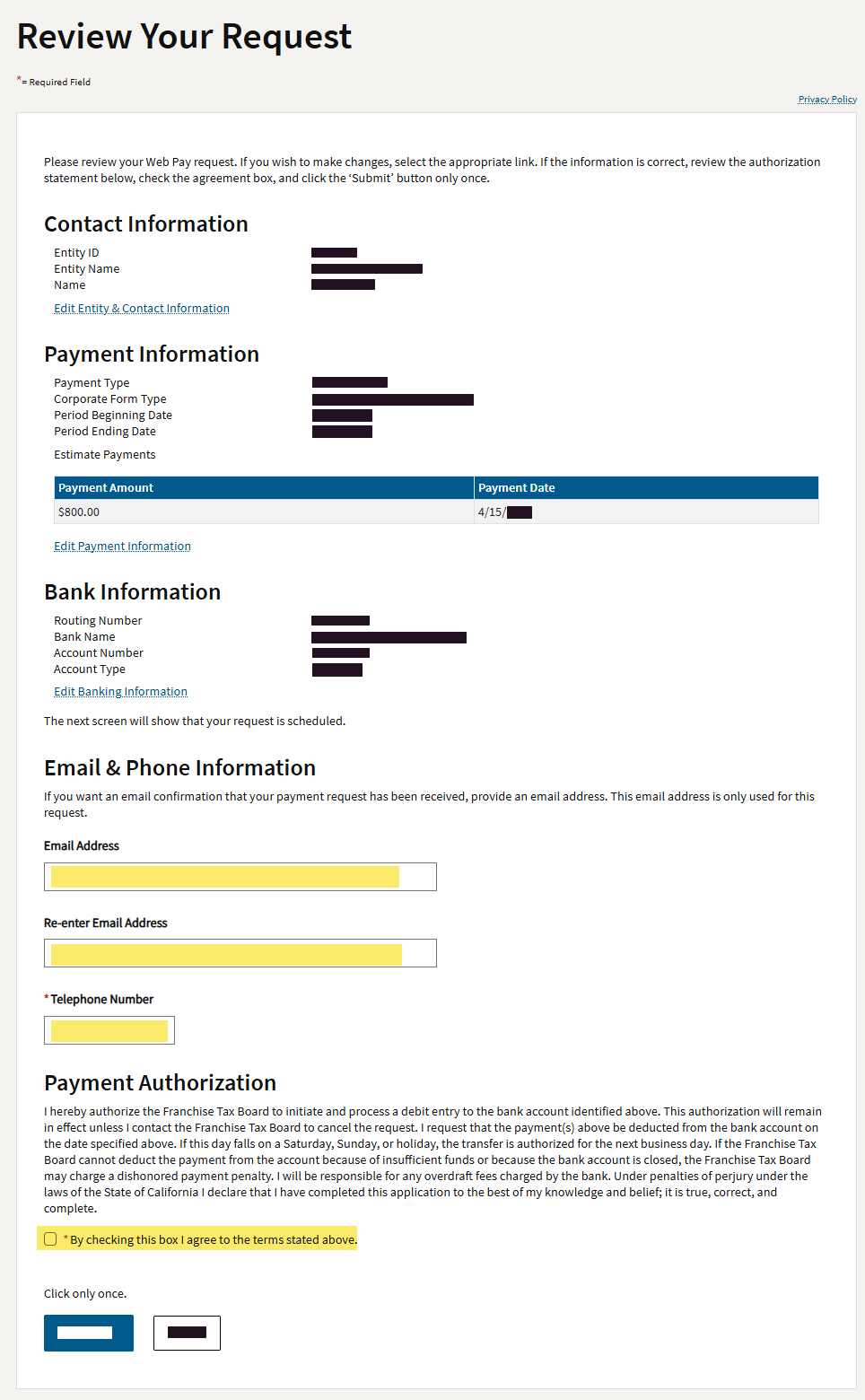
Verify all your information
-
Enter your email address and phone number
-
Click Submit
-
Save a copy of the confirmation for your records
Pay California corporation estimated tax (Form 100-ES)
Make a corporate estimated tax payment to the California Franchise Tax Board using Web Pay for Business.
Need help? Send a message through the client portal (Opens in a new tab) or email info@snapadvisory.com.
← All resources