Pay your federal extension (IRS Direct Pay)

Make an extension payment to the IRS using Direct Pay when you are filing Form 4868.

An extension gives you more time to file, not more time to pay. Interest and penalties still run from the original deadline on anything unpaid.

  1. Go to IRS Direct Pay (Opens in a new tab)

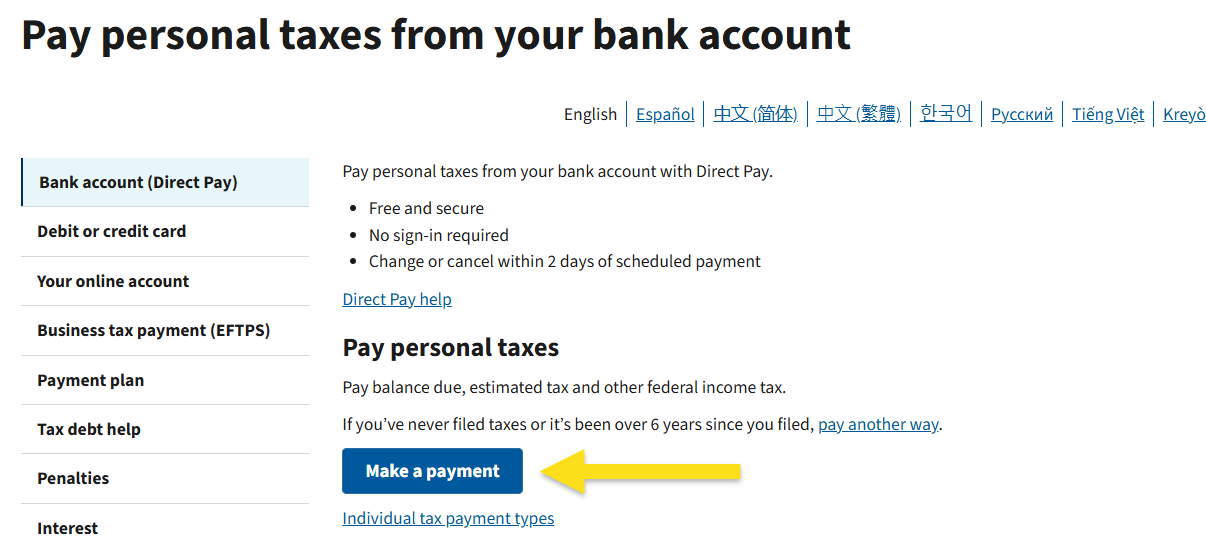
  2. Click MAKE A PAYMENT

    IRS Direct Pay home page with the Make a Payment button highlighted

  3. There will be three drop downs:

    FieldChoose
    Reason for PaymentEXTENSION
    Apply Payment To4868
    Tax Period for Payment2025
  4. Click Continue

  5. The next screen is for identity verification only. Select 2024 and enter your information from your 2024 return

  6. Schedule the payment and enter the amount

  7. Finalize

  8. Save a copy of the confirmation for your records

Need help? Send a message through the client portal (Opens in a new tab) or email info@snapadvisory.com.

← All resources

These choices do not subscribe you to email or text messages. Forms and scheduling tools load separately when you request them. Read our Privacy Policy.