Pay the California LLC annual tax (Form 3522)

Pay the $800 California LLC annual franchise tax to the Franchise Tax Board using Web Pay for Business.

This is how to pay the California Franchise Tax Board for your LLC. This is paid in advance for the current tax year (2026).

  1. Go to FTB Web Pay (Opens in a new tab)

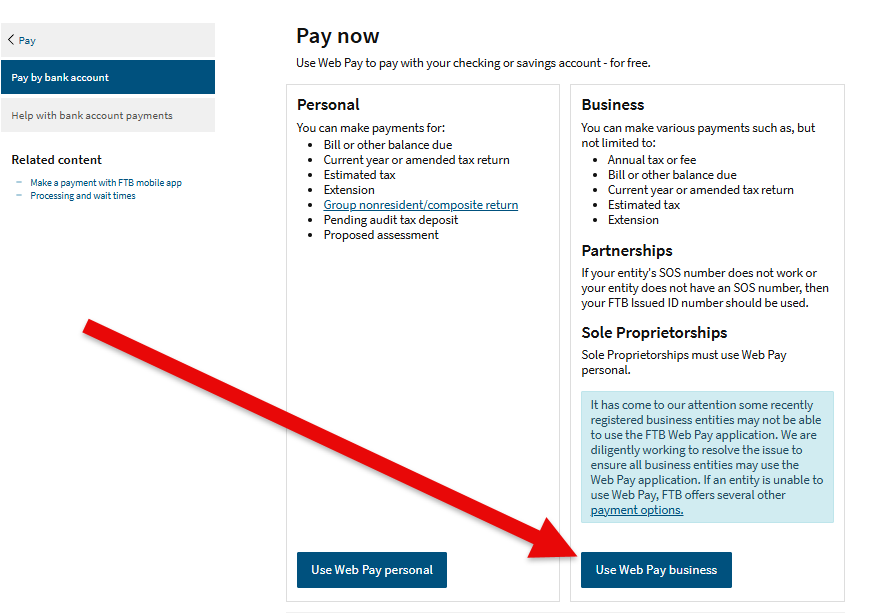
  2. Select Use Web Pay for Business

    FTB Web Pay landing page with the Use Web Pay for Business option highlighted

  3. Select Limited Liability Company (LLC) from the drop down
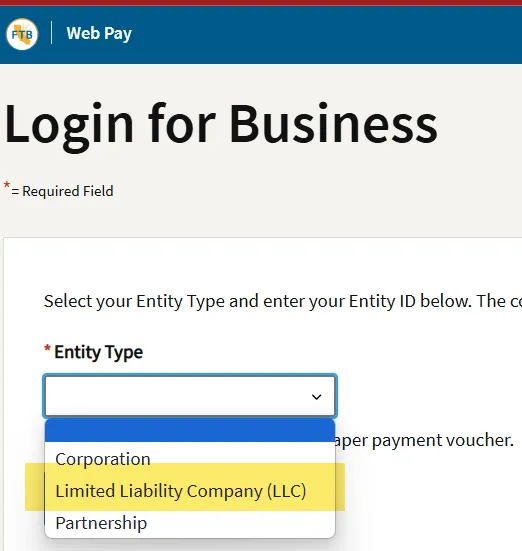
    FTB entity type drop down with Limited Liability Company selected

  4. Enter your Entity ID

  5. Confirm the entity name, then enter your first and last name
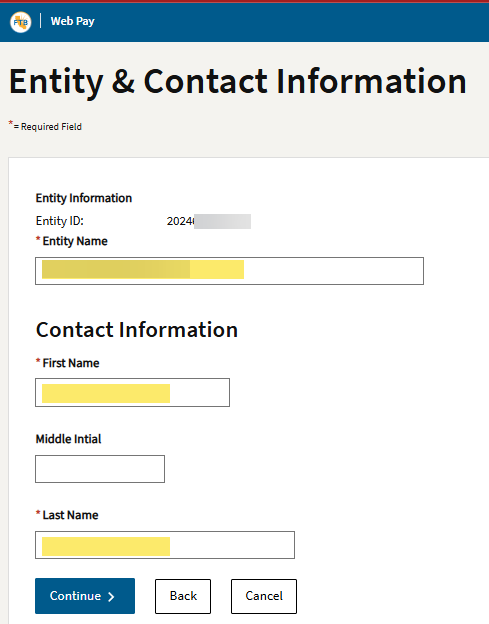
    FTB entity confirmation screen showing the entity name and contact name fields

  6. For Payment Type, select Annual Tax Payment (Form 3522)
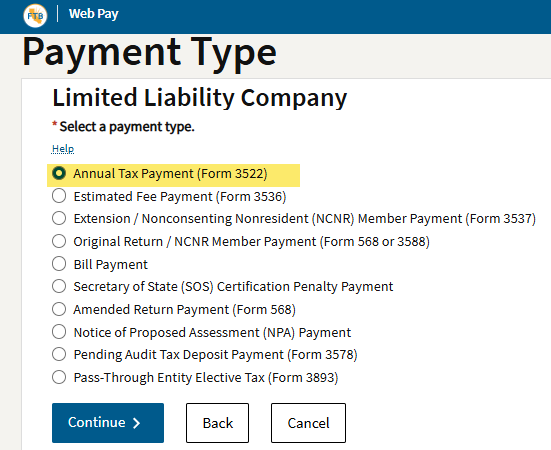
    FTB payment type drop down with Annual Tax Payment Form 3522 selected

  7. Fill out the payment information for tax year 2026
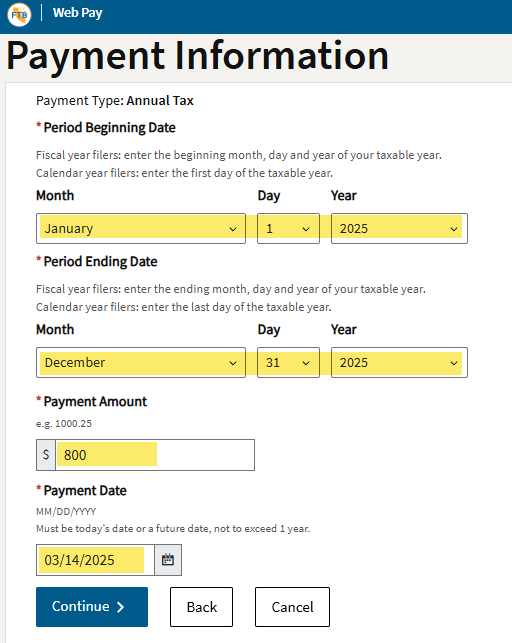
    FTB payment information screen showing the tax year, amount, and payment date fields

  8. Bank information: enter your business banking details for the payment

  9. Review your request

    • Check all your payment information
    • Enter your email address and telephone number
  10. Click Submit to confirm the payment

  11. Save the confirmation for your records

Need help? Send a message through the client portal (Opens in a new tab) or email info@snapadvisory.com.

← All resources

These choices do not subscribe you to email or text messages. Forms and scheduling tools load separately when you request them. Read our Privacy Policy.