This guide walks you through how to get your IRS transcripts for individuals. Follow these four steps to download the records we need and send them securely.
1. Open the IRS transcript page
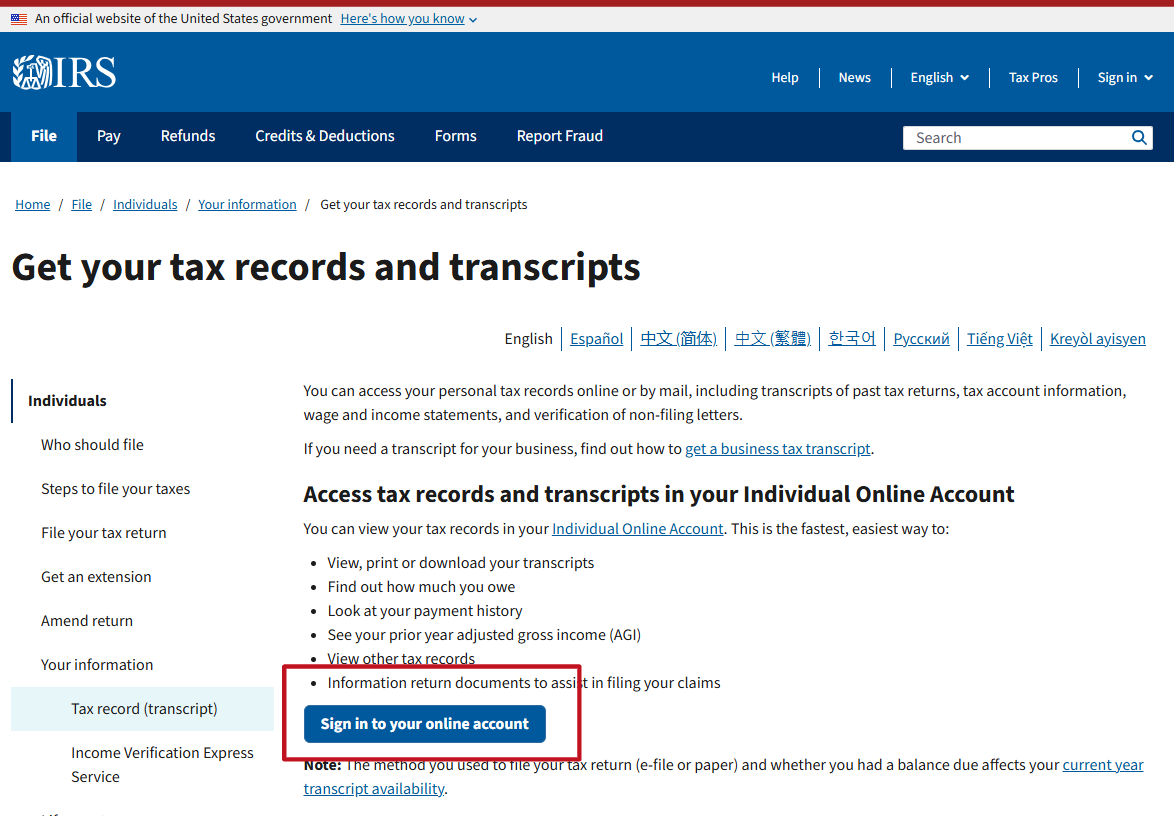
Go to Get your tax records and transcripts on IRS.gov (Opens in a new tab), then select Sign in to your online account.
2. Sign in or create an account with ID.me
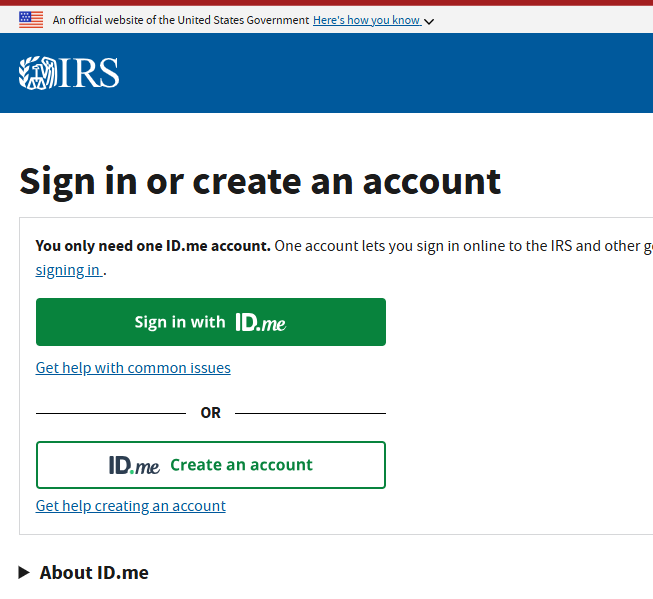
Sign in with your own ID.me account. If you do not already have one, choose Create an account and follow the identity verification steps.
3. Choose the transcript you need
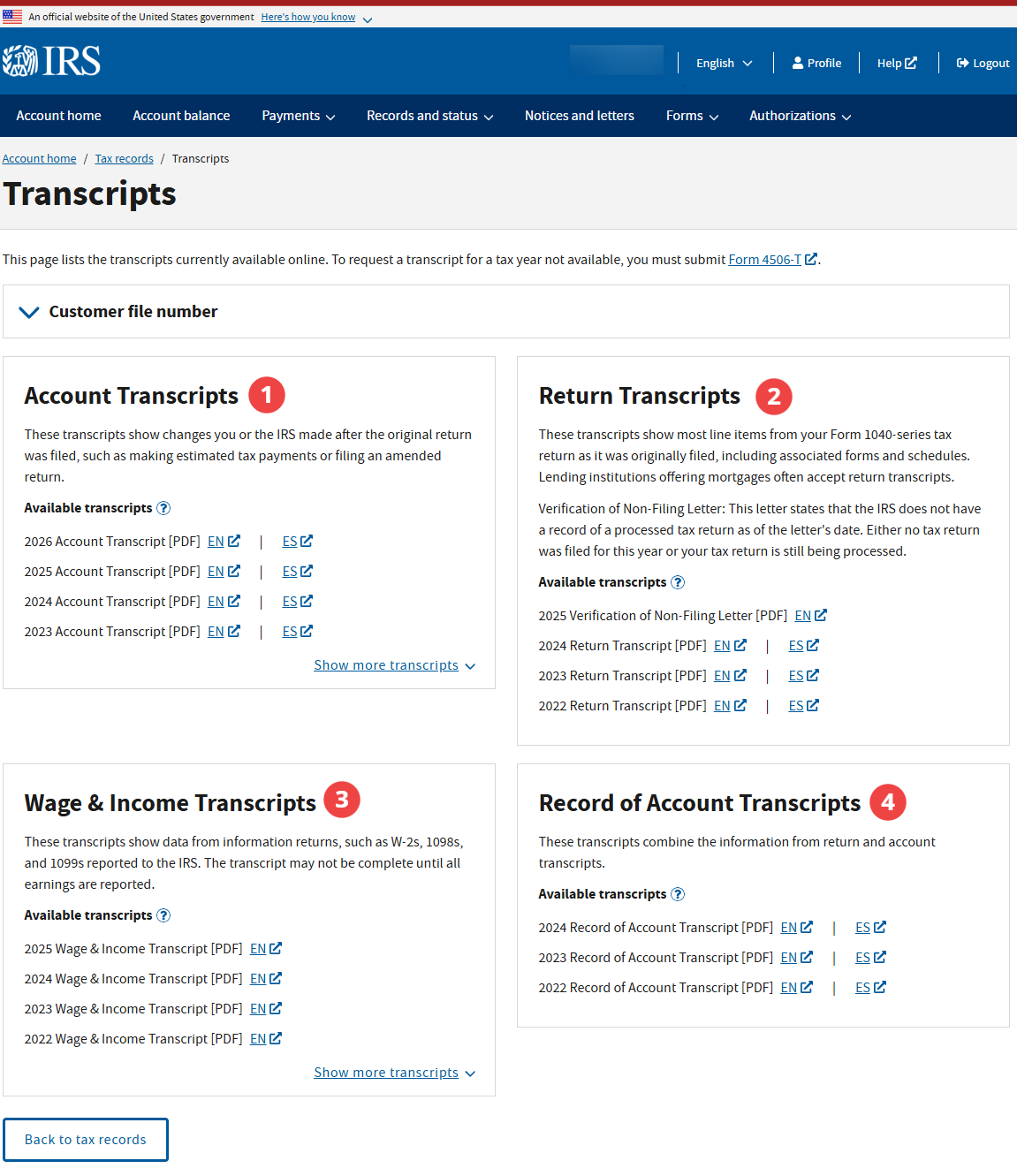
Open the tax records and transcripts area in your account. Choose the transcript we asked you to get and the year you need. Select EN to download the English PDF, or ES for Spanish where available.
Account Transcript
Your IRS ledger for the year. It shows payments, including estimated payments, refunds, balances due, penalties, and changes made after you filed. Use it to check what you have paid or what you owe.
Return Transcript
A summary of your tax return as you originally filed it. Use it for mortgage or loan applications when requested. It does not show later changes to the return.
If you see a Verification of Non-Filing Letter, the IRS has no record of a processed individual income tax return for that year as of the date of the request. It does not necessarily mean you did not file.
Wage & Income Transcript
The W-2, 1099, 1098, and other information documents reported to the IRS under your name. This is usually the one we ask for. It helps us check whether anything is missing from your return.
The transcript may not include every document yet. Keep your original tax documents, and let us know about income that does not appear on the transcript.
Record of Account Transcript
The Return and Account transcripts combined into one document. Use it when you need the full picture for a year.
Married filing jointly? Each spouse needs to sign in with their own ID.me account and download their own Wage & Income transcript. For a joint return, one spouse can generally retrieve the joint Return and Account transcripts.
Not sure which one to get? Download the Account and Wage & Income transcripts for the years we asked about, and securely upload them using the links below.
4. Securely upload your transcripts
Do not email these sensitive documents.
- If you are a client: upload them through the Snap Client Portal (Opens in a new tab).
- If you are not a client: use Snap Secure File Upload (Opens in a new tab).
If we are helping you with an IRS notice, securely upload the notice too, including all pages.
For more information, see the IRS pages on getting tax records and transcripts (Opens in a new tab) and transcript types (Opens in a new tab).