Get your IRS Identity Protection PIN

Sign in to your IRS online account to get or retrieve your six-digit Identity Protection PIN.

Get an IP PIN

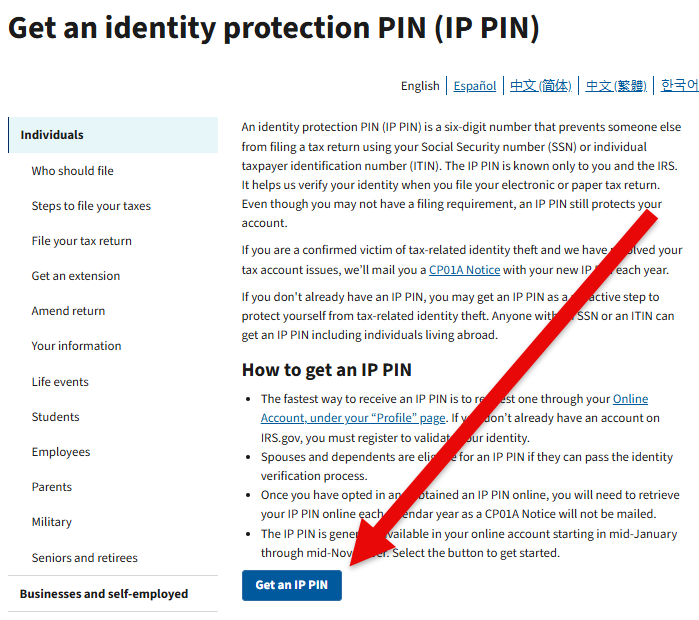
  1. Go to the IRS Get an Identity Protection PIN page (Opens in a new tab)

  2. Click Get an IP PIN

    IRS Identity Protection PIN page with the Get an IP PIN button highlighted

  3. Sign in with your ID.me account, or create one

Retrieve your current year PIN

  1. Go to Online Account for Individuals (Opens in a new tab)

  2. Sign in using your ID.me account

  3. Open Profile, then Identity Protection PIN
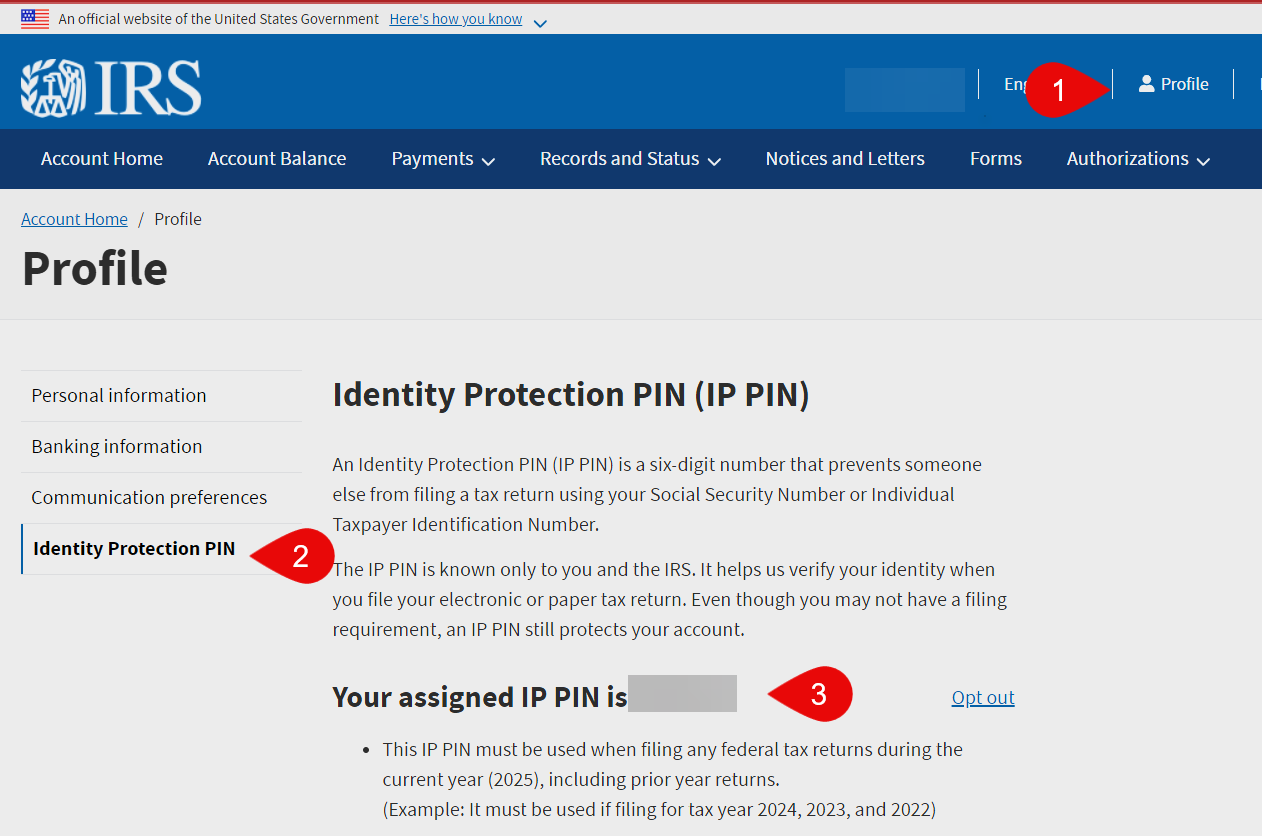
    IRS online account profile page showing the Identity Protection PIN section

Keep your IP PIN private and share it only with your preparer. A new one is issued every January.

Need help? Send a message through the client portal (Opens in a new tab) or email info@snapadvisory.com.

← All resources

These choices do not subscribe you to email or text messages. Forms and scheduling tools load separately when you request them. Read our Privacy Policy.